UP Squared Pro 7000 (UPN-ADLN01) – HAT GPIO inputs never change in software on Windows, multimeter c

Hi all,
I'm trying to read a push button on the 40-pin HAT of a UP Squared Pro 7000 (UPN-ADLN01) under Windows. The signal is correct on the pin (confirmed with a multimeter), but no software layer ever sees it change. The same C# code worked on another UP board (UP Xtreme i14).
Setup
- Board: UPN-ADLN01, BIOS [BIOS version]
- OS: Win 11 IOT, 64-bit
- UP Framework 24.09.10 (clean install; drivers: ACPI 11.5.15.822, Service 11.5.15.822, LED 11.6.14.247)
- BIOS HAT configuration: the pin is set to GPIO, direction Input
Circuit (active-high)
- Pin 1 (3.3V) -> button -> pin 7
- 10kΩ from pin 7 -> pin 9 (GND)
- Multimeter on pin 7: ~0V released, ~3.3V pressed. Also tried pin 15 with the same result.
What I've tested (all read-only while pressing the button)
1. EAPI directly (aaeonEAPI.dll, EApiGPIOGetLevel) polling all IDs 0–39, using ID = physical pin − 1. No ID changes on press.
2. UpNetlib UPGpioProvider + Windows.Devices.Gpio (.NET), opening physical pin − 1 as Input. Level never changes. InputPullUp is rejected with "Only support Output or Input Mode".
3. AAEON's UpNetGpioTestTool from win-demo-apps: pin 6 (= physical 7) reads Low, including while the button is held.
Software vs meter doesn't match on other pins either:
- Pin 29: software HIGH, meter 0.01V
- Pin 7 (button held): software LOW, meter 3.3V
The mapping itself looks right: EApiGPIOGetDirection fails only on the alt-function pins (3, 5, 8, 10, 11, 19, 21, 23, 24, 27, 28), which matches the header layout. So it looks like the header side isn't being passed through to the SoC for inputs.
I also cleaned up a mixed SDK install (24.09.10 and 24.12.27 had been installed over each other, and the 24.12.27 ACPI driver was left behind). The behaviour is the same on the clean 24.09.10 stack.
I found the linux-gpio thread "Up Squared Pro 7000 (UPN-ADLN01) broken BIOS?", where HAT pins were owned by ACPI/locked by the BIOS, and AAEON shared an engineering BIOS (UNASAM36) that fixed inputs on Linux.
Questions
1. Is this the same BIOS issue, and does that fix also apply to Windows?
3. Is there any other BIOS setting needed beyond GPIO + Input for the pin?
4. Which UP Framework version is recommended for this board? 24.09.10 doesn't include UpNetlib.dll, while 24.12.27 did.
5. Any recommendations in general?
Happy to run any tests or send logs. Thanks!
Answers
-
I've also been having troubles with SDK 24.09.10. Where did you find V24.12.27?
-
Please install the latest upframework driver and try again.
https://aaeon365-my.sharepoint.com/:u:/g/personal/harrychiu_aaeon_com_tw/IQC6pc4y63_jQpzHZKOpqmKuAZU3aTStnSz7-P5tyqq37fM?e=G6WBZrBest Regards,
Harry Chiu -
Hi @HarryChiu
I Installed and used the version you gavee, however, I don't see a difference.
Thanks -
Hi @fahmidk
I tested the GPIO input using both UpFramework driver and the UpNet tool you mentioned.
I connected Pin 1 (+3.3V) to Pin 6 (GPIO Input), and the GPIO reading changed between High and Low as expected, unlike the issue you reported where the reading remained Low.
Please note that I did not connect a 10kΩ pull-down resistor to GND during my test, and I used the same BIOS version as yours.
Could you please provide a screenshot of your Windows Device Manager so we can check the driver status?
Best Regards,
Harry Chiu -
Hi @HarryChiu
I will provide the Screenshots you requested.
However, that is not the issue, this also works for me, however I believe it might be something regarding the framework or BIOS, as the OS/Software incorrectly observes the Pins.Note: I am using the TestTools from https://github.com/aaeonaeu/win-demo-apps/tree/master/UPNetBusTool
and a python script (i will attach- shows same result as the test-tool i linked).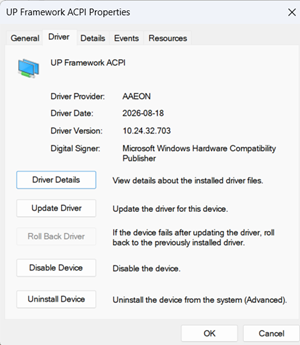
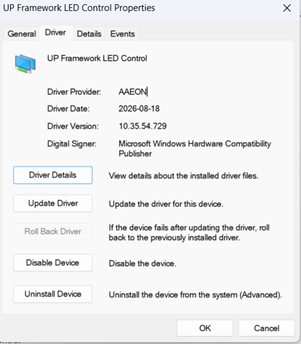
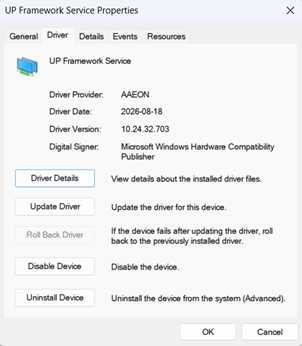
If you can please send me your email as well, I can send all the details.